


|
Name |
NP Manager |
|---|---|
|
Category |
Tools |
|
Developer |
NP Manager DEV |
| Last version | 3.1.37 |
|
Updated |
|
|
Compatible with |
Android 7.1+ |
Introduction to NP Manager APK
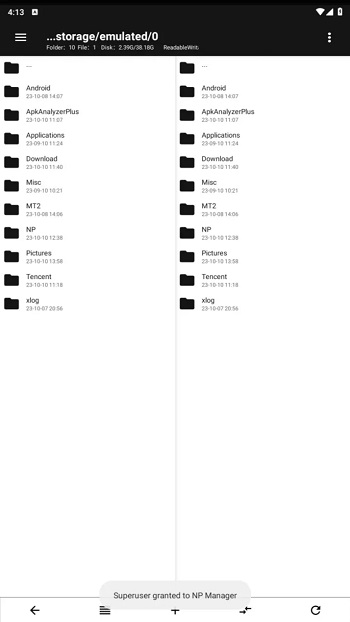
NP Manager is an Android file management app built for users who want deeper control over files, apps, media, archives, and APK-related tasks. It helps you browse phone storage, open common file types, manage folders, inspect packages, and handle advanced file operations from one place.
The app is mainly used to organize storage and work with different file formats. You can view images, play videos, open audio files, check documents, manage downloads, and handle compressed files such as ZIP or RAR. It also supports internal storage, SD cards, USB OTG, hidden files, and large file checks, which makes storage cleanup less annoying.
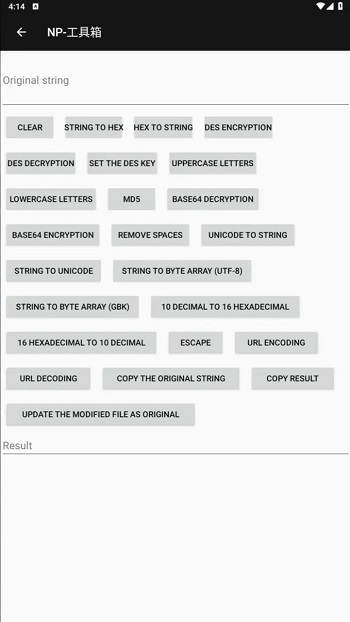
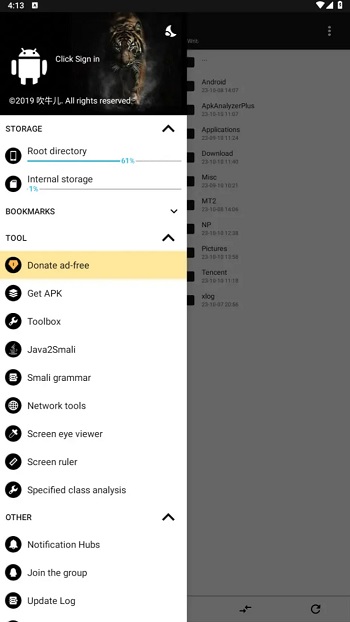
NP Manager APK stands out because it goes beyond basic folder browsing. It includes tools for APK, Dex, Jar, Smali, PDF, media, and text-related tasks. Users can work with APK signatures, file conversion, archive extraction, PDF splitting or merging, video cutting, audio extraction, and code viewing. For regular users, that means fewer extra tools. For advanced users, it feels like a small toolbox sitting inside the phone.
The app is also useful for people who often move files between devices. FTP support lets you access phone storage from a computer, while compression tools help pack files before sharing or saving them. The recycle bin adds a safety layer by allowing deleted items to be restored, which is helpful when your finger moves faster than your brain.
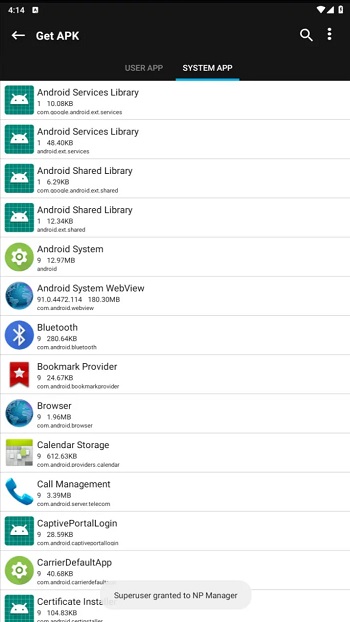
Its main advantage is convenience. NP Manager keeps many practical tools in one app, so users can manage files, check storage, preview media, clean unused items, and inspect apps without jumping between several utilities. It suits Android users who like control, modding learners, file organizers, developers, and anyone who handles APK or archive files often.
The app has some limits. Many advanced APK, Dex, Smali, and obfuscation features may feel confusing for beginners. Some functions require technical understanding, and using package-editing tools carelessly can break files or cause app errors. It is best used with backups, patience, and a clear idea of what you want to change.
FAQs NP Manager
What is NP Manager used for?
+
NP Manager is used to manage Android files, browse storage, open media, handle archives, work with APK files, and perform advanced tasks such as Dex, Jar, Smali, PDF, and video operations.
Who should use NP Manager?
+
NP Manager is suitable for Android users who manage many files, APK editors, modding learners, developers, and people who want stronger storage control without installing many separate tools.
Can NP Manager open different file types?
+
Yes. NP Manager can work with videos, audio, images, documents, archives, APK files, Dex, Jar, Smali, PDF files, and text-based formats, depending on the feature being used.
Does NP Manager help free up phone storage?
+
Yes. NP Manager can help find large files, remove unused items, check internal or external storage, manage apps, and restore deleted files through its recycle bin when available.
Is NP Manager easy for beginners?
+
NP Manager is easy for basic file browsing, storage checks, media previews, and archive tools. Advanced APK editing, Dex handling, Smali work, and obfuscation features need technical knowledge.
Discover More Interesting Apps
-

Theick.io
v0.4.8
29 MB
Updated -
Mod
Remote Mouse Pro
v5.306
63 MB
Updated -
Mod
TLS Tunnel
v7.2.6
27.95 Mb
Updated -
Ace Stream
v3.2.19.5
107.59 Mb
Updated -
90 FPS
v11.4
16.02 Mb
Updated -
Mod
Medix
v1.4.0
69.80 Mb
Updated -
Mod
Multi App
v2.7.0
37.47 Mb
Updated -
Sophon
v1.0.54.1
65.80 Mb
Updated -
Mod
SWAP - No ROOT
vv4.8.8
8.41 Mb
Updated -
Ultimate USB
v10.1.1
71.06 Mb
Updated










Share Your Thoughts